
WAF Rulesets List
This section shows how to create a new set of WAF rules. A ruleset is a group of WAF rules with the same theme and the same global configuration.
After clicking the IPDS >> WAF >> Rulesets menu, it should open a page like the one in the image below. Click the Create WAF ruleset button.

It should open a form similar to the one in the image below. Fill in the necessary details.
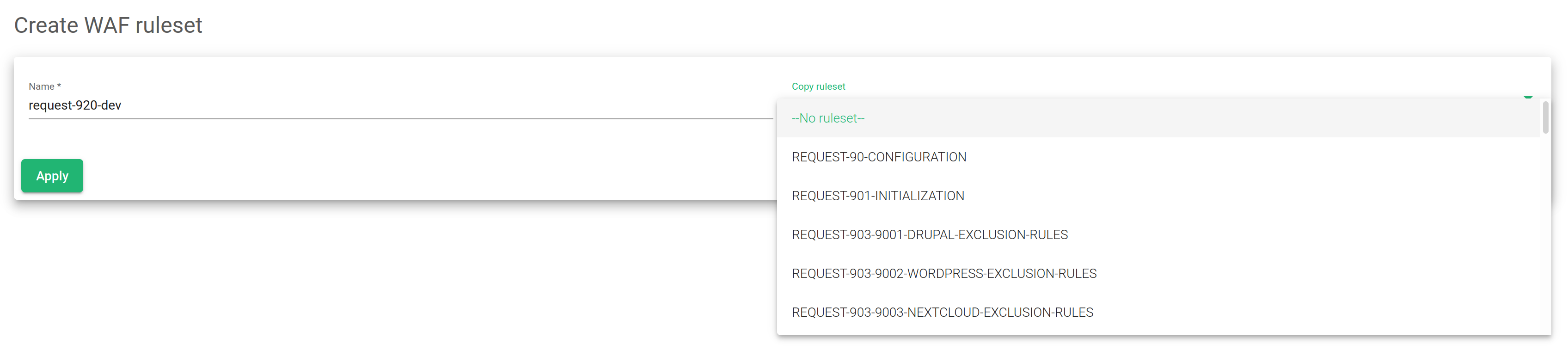
Choose a ruleset Name that is easily memorable.
Click on Copy from ruleset and use any of the suggested rulesets. This feature is useful to test the rule sets added by the Skudonet-ipds package without modifying the original ones.
If a rule (from the Skudonet-ipds package) is modified, it will not be updated when the package upgrades. These rules will be respected since they were customized by the system administrator.
After selecting from the ruleset, confirm with the Apply button.
Name. The descriptive name of the new rule.
Copy ruleset. Create a new rule based on an existing rule.
Please, follow this link for further information about Updating the global settings of a WAF Rule Set.
