
This section provides a detailed overview of the statistics for farms and load-balancing services. It includes a table that shows the number of the most recent Established and Pending connections for each LSLB farm.
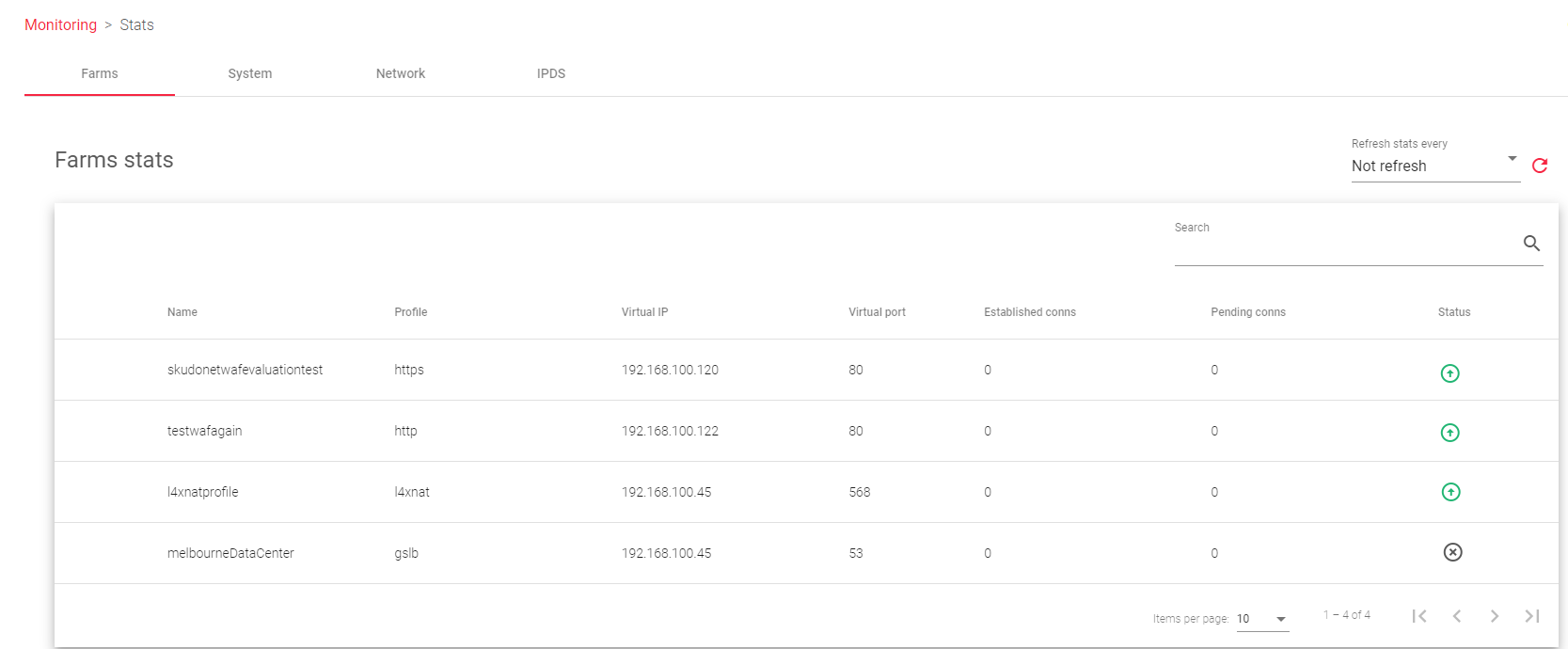
The table shows the following information about each LSLB farm:
Name: A unique identifier for the farm.
Profile: The type of farm profile, either HTTP or L4xNAT.
Virtual IP: The virtual IP address that receives traffic for the farm.
Virtual Port: The port that the load balancer uses to manage and distribute traffic to the farm.
Established Conns: The number of active connections to the farm. This does not necessarily mean one connection per connected client.
Pending Conns: The number of connections that are waiting to be served by the farm.
Status: The availability status of the farm, indicated by the following colors:
 Green: The farm is running and all backends are UP.
 Red: The farm has stopped.
 Yellow: There are recent changes that need to be applied by restarting the farm.
 Black: The farm is UP, but there are no backends available or they are in maintenance mode.
 Blue: The farm is running, but at least one backend is down.
 Orange: The farm is running, but at least one backend is in maintenance mode.
Actions: This column allows you to view more detailed statistics for the farm.
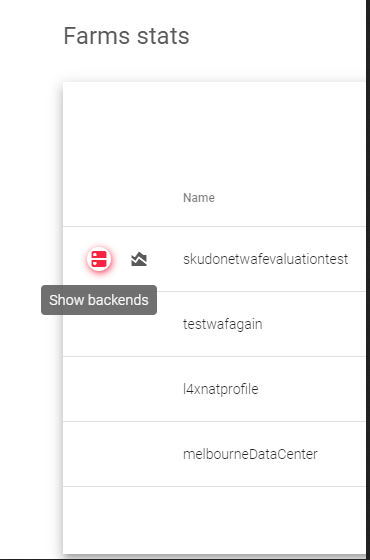
- Show Backends: This displays all backend servers configured on a particular farm, and the number of client connected to that particular farm.
- Show Graphs: Shows the graphs for the chosen farm.
Show Backends: Stats for monitoring Backends
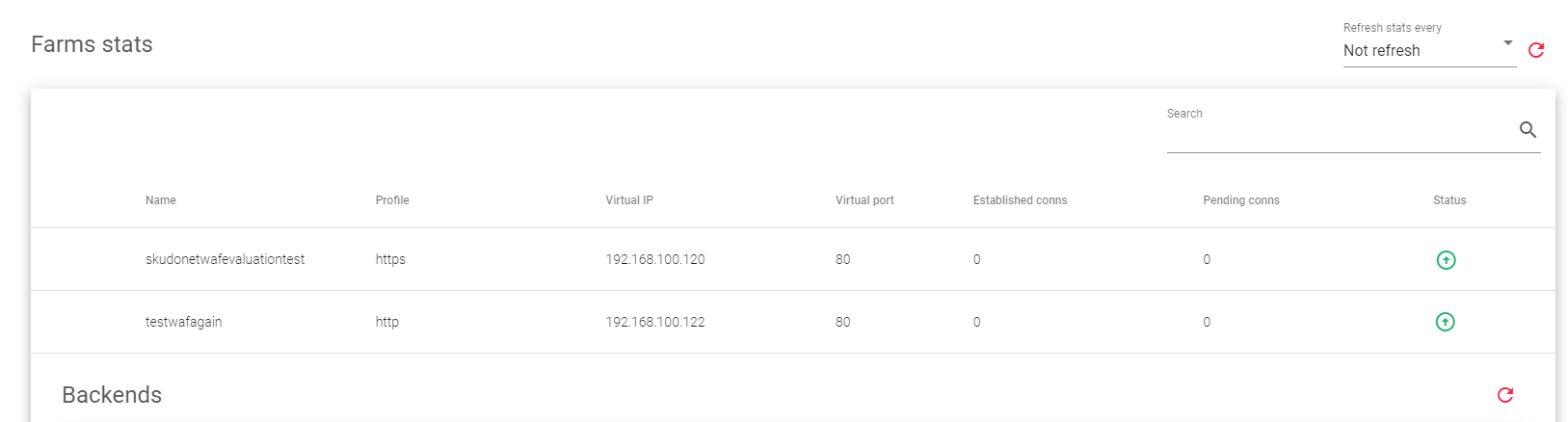
The following labels describe each column within the backend stats section.
Name: A unique identifier for the farm.
Profile: Determines if the farm is an HTTP, HTTPS or an L4xNAT farm.
Virtual IP: The IP address of the real server.
Virtual Port: The port(s) that the real server is listening on.
Established conns: The number of active connections to the real server (only for LSLB farms).
Pending conns: The number of connections that are waiting to be served by the real server (only for LSLB farms).
Status: The health status of the real server, is indicated by the following colours:
- Green: The real server is running normally.
- Orange: The real server is in maintenance mode.
- Red: The real server is unreachable.
Backends

Actions: Use the following actions to manage the status of a backend server.
- Enable maintenance: Place the backend in maintenance mode. The two modes include
- Drain mode: Stops new connections from reaching the backend, but allows existing connections to continue uninterrupted.
- Cut mode: Closes all current connections and places the backend in maintenance mode immediately.
- Disable maintenance: Makes the backend available for new connections.
Sessions
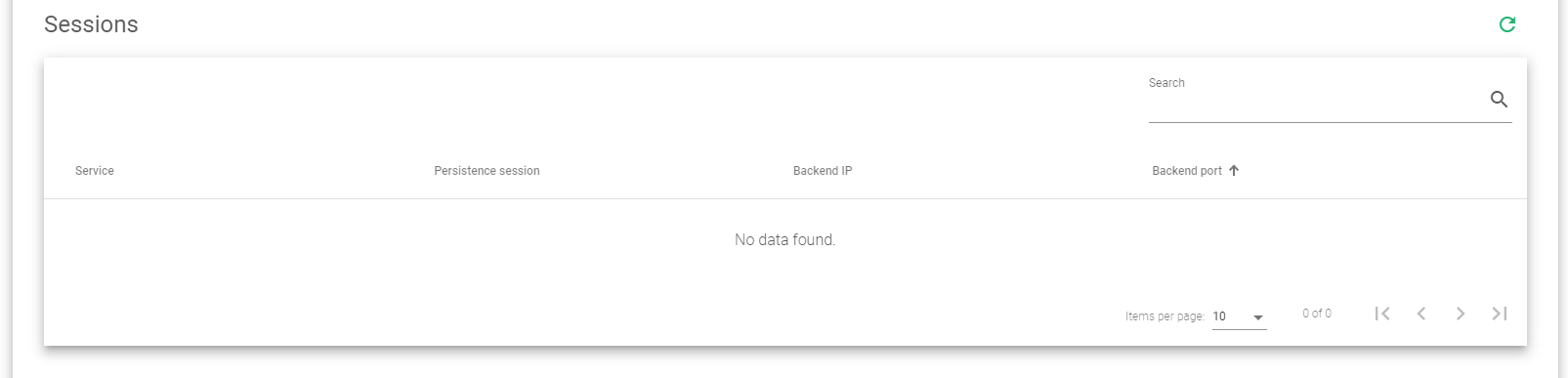
The Farm Sessions table shows the following information for each session:
- Service: Name of the service to which the client is connected.
- Persistence session: The type of Session used by the farm. This could be IP-based, Cookie-based or URL-based sessions.
- Backend IP: The IP address of the backend server processing the requests
- Backend Port: The port of the backend server on which it is receiving the traffic
Next Article: Monitoring | Stats | System
