
The SKUDONET Support Save feature allows users to create a snapshot of their load balancer node’s current state. This snapshot includes all of the information that the SKUDONET team needs to troubleshoot any problems that may occur, such as logs, configuration, and system status.
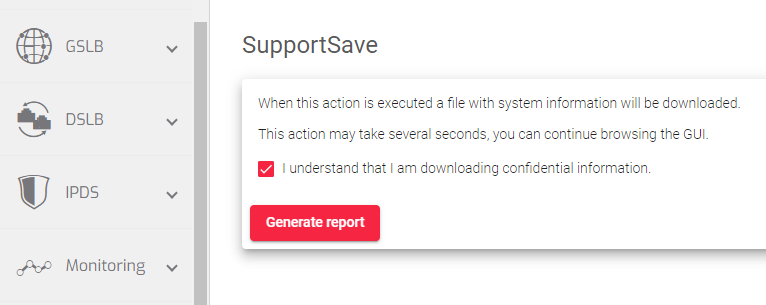
To create a SupportSave file:
- Go to the System > SupportSave page.
- Enable the Check box: I understand that I am downloading confidential information.
- Click the Generate Report button. The file will be downloaded to your computer once it is generated.
You can then send the Support Save file to the SKUDONET team for assistance. This will help them to quickly identify and resolve any issues you are experiencing.
Next Article: System | Factory Reset
