
Live Webinar · Real-Time Load Balancing, WAF & Cybersecurity · May 14 · 10:00 AM CET | 2:30 PM IST

Live Webinar · Load Balancing & WAF · May 14

Join now

System | Logs | Show

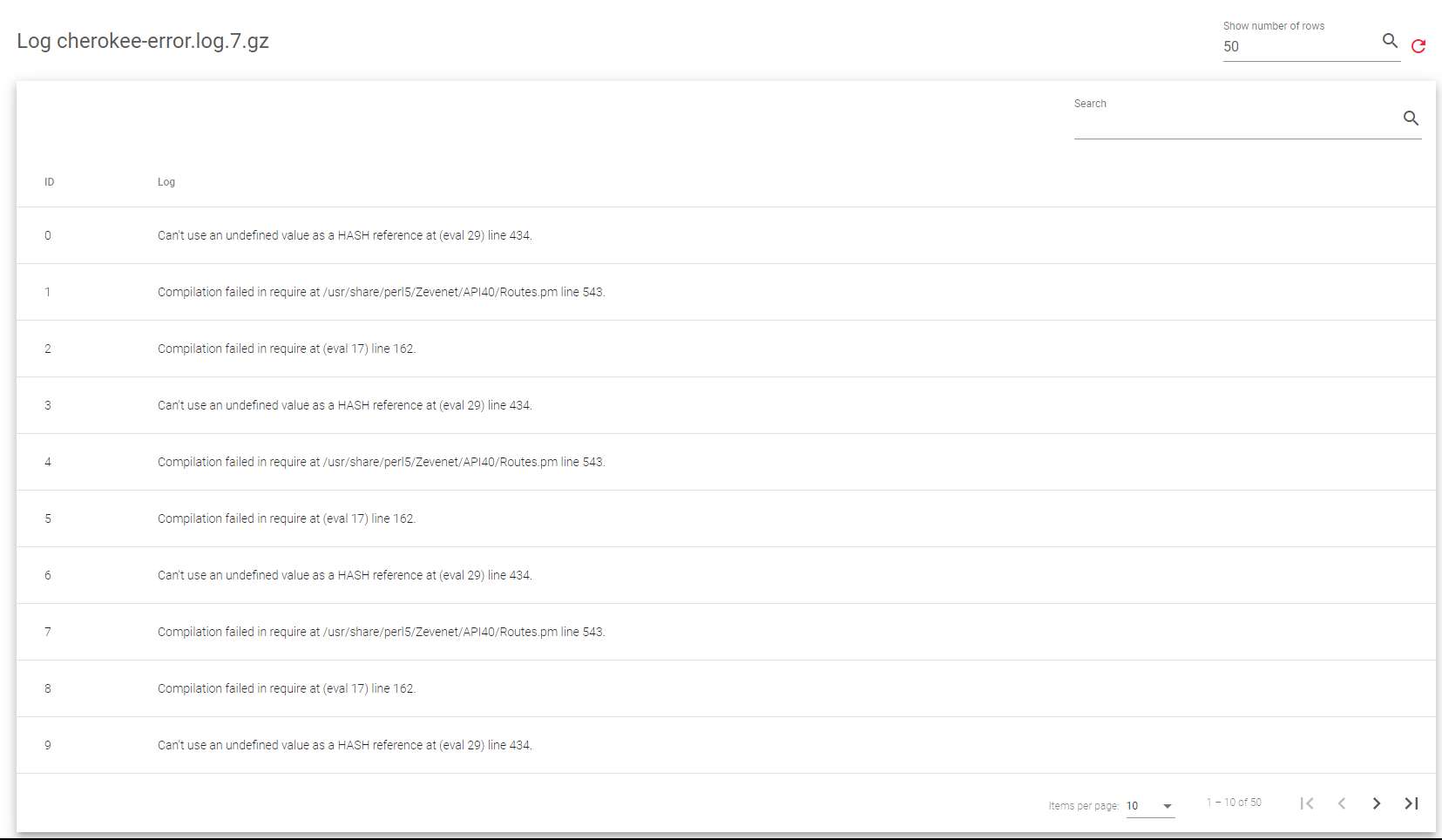
The Show action opens a new screen for managing the log file display. In this section, you may select the desired number of files to show, starting with the latest entries. One may also utilize the search filter to refine the log content and narrow down his search.

To show log files:

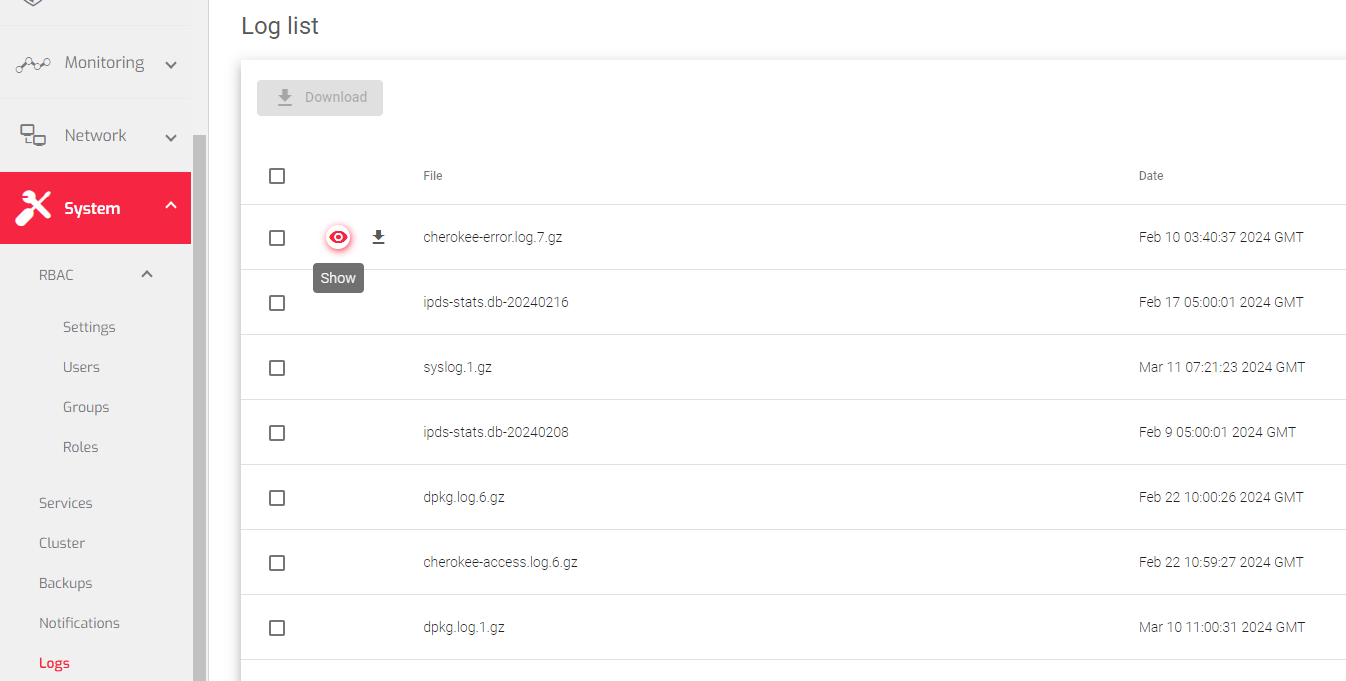
    1. Go to the Systems > Logs section.
    2. Hover over the log file you’d like to analyze and click the Show Icon.


A new page with logs will appear, like the one shown in the image below.
Next Article: System | User Settings

Related Articles

Need Support?

Can't find the answer you're looking for?
Contact Support

Download Skudonet ADC Load Balancer
Community Edition

Source Code

A versatile and installable ADC system designed for diverse vendor hardware.

DOWNLOAD SOURCE

Installable ISO 

Load Balancing as a Service alongside an ADC orchestration toolkit.

DOWNLOAD ISO