
To create a site-to-site VPN:
1. Go to the Network > VPN section.
2. Click the Create VPN button. A form will be presented with the following fields.
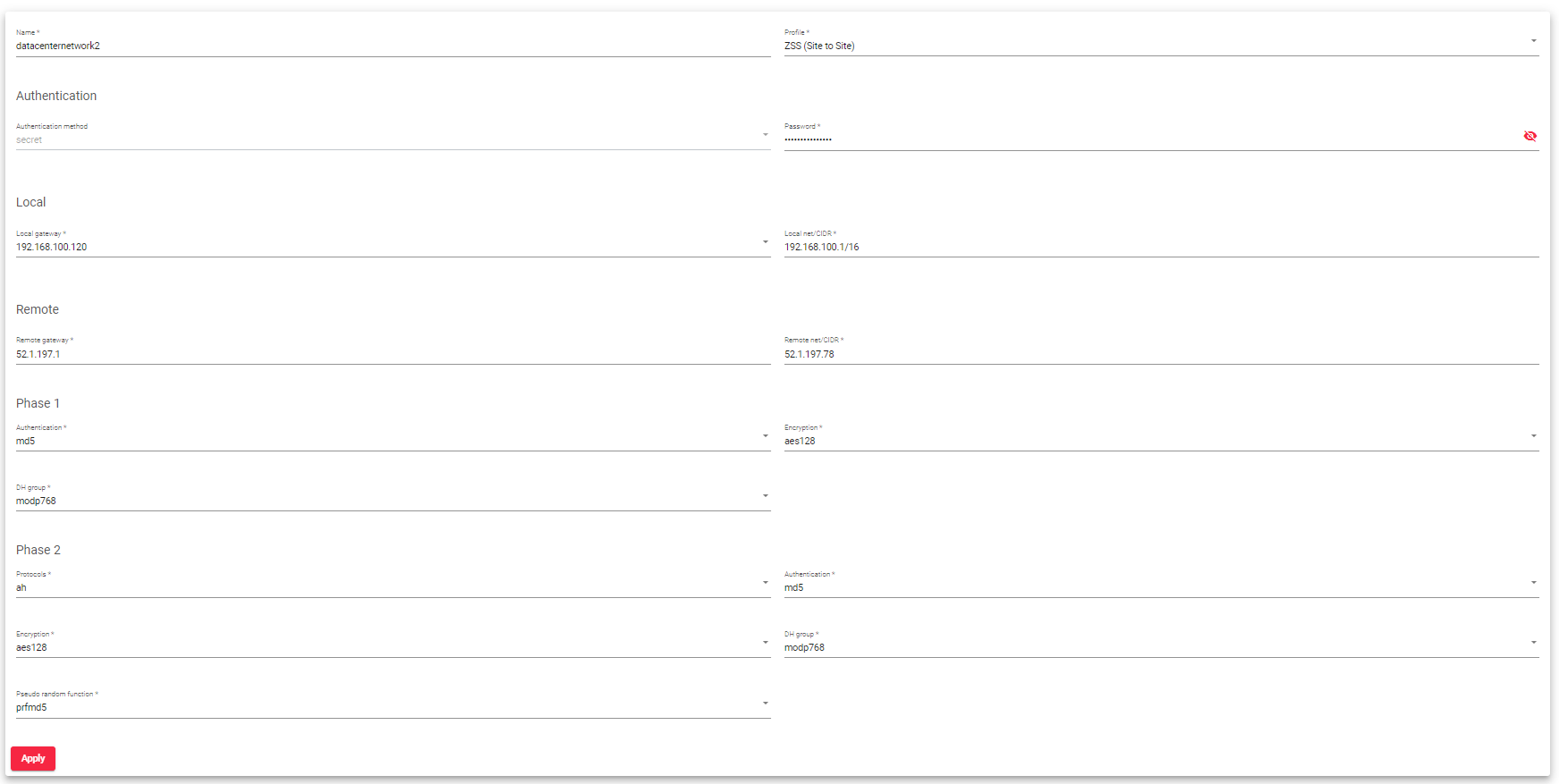
Name: Enter a descriptive name for your VPN.
Profile: This profile is a predefined configuration for the VPN connection. For this setup, select ZSS(Site to Site).
Authentication:
- Authentication method: The authentication method for the VPN connection is a secret, you can not select it.
- Password: Provide a password for your local VPN you’d like to create.
Local:
- Local gateway: Enter the local gateway’s IP address(For your VPN).
- Local net/CIDR: Define the local network or subnet that will be part of the VPN.
Remote:
- Remote gateway: Enter the IP address or domain name of the remote gateway (the other side of the VPN).
- Remote net/CIDR: Define the remote network or subnet that will be part of the VPN.
Phase 1 (IKE Phase 1):
- Authentication: Choose the authentication method for IKE Phase 1 negotiations.
- Encryption: Select the encryption algorithm for securing Phase 1 negotiations.
- DH group: Choose the Diffie-Hellman group for key exchange during Phase 1 negotiations.
Phase 2 (IKE Phase 2):
- Protocols: Select the protocols to be used for data transmission. The provided options are ESP (Encapsulating Security Payload) and AH (Authentication Header).
- Authentication: Choose the authentication algorithm for securing Phase 2 negotiations.
- Encryption: Select the encryption algorithm for securing data transmission during Phase 2.
- DH group: Choose the Diffie-Hellman group for key exchange during Phase 2 negotiations.
- Pseudo-random function: Specify the pseudo-random function for generating cryptographic keys.
3. Once you’ve filled in these fields, click the Apply button to configure a Site-to-Site VPN.
