
NICs are physical network adapters that allow computers to connect to a network. This section describes how to configure and operate NICs.
NIC Interfaces Table
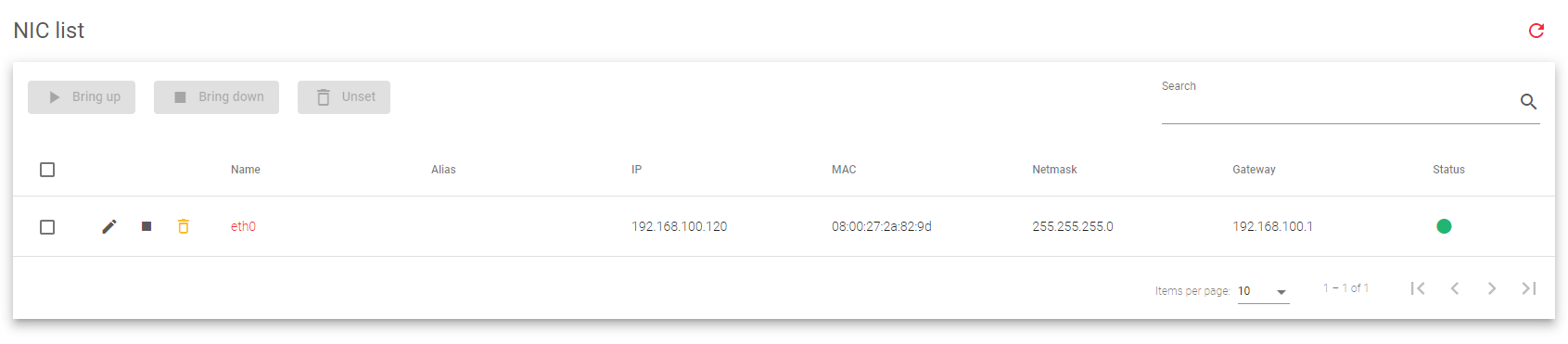
The NIC Interfaces Table displays all the non-virtual NICs available on the system, and it includes the following columns:
Name: The system name of the physical interface.
Alias: An alias for the interface that can be used when configuring a farm or other service.
IP: The network-layer IP address of the physical interface, if configured. Supports IPv4 and IPv6.
MAC: The link-layer MAC address of the physical interface.
Netmask: The subnet mask of the bonding interface, if configured. It must be configured at the same time as the IP address.
Gateway: The default gateway used by the NIC.
Status: The status of the NIC. Green indicates that the NIC is UP, while red indicates that the NIC is DOWN or the link has not been detected.
Actions: Available actions for the NIC, such as Edit, Bring up, Bring down, and Unset.

- Edit: Change the NIC configuration, such as the IP address, netmask, and gateway.
- Bring up: Start the interface and configure it to accept traffic.
- Bring down: Shut down the interface and stop it from accepting traffic.
- Unset: Remove the NIC configuration.
Next Article: Network | NIC | Update
